Custom OpenGL Engine Demo
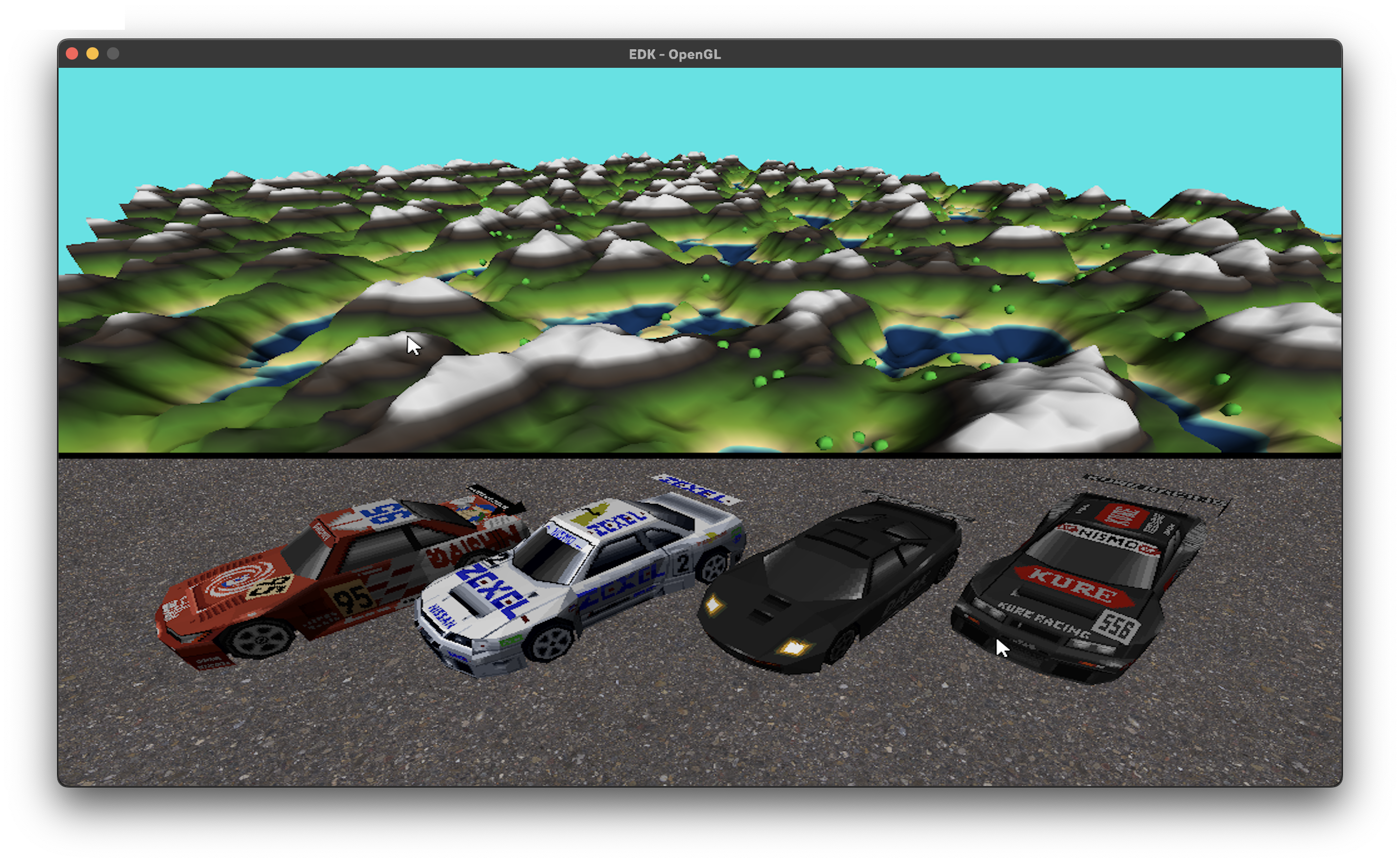
This project is a graphical scene developed using the EDK API, based on OpenGL.
It started as a way to learn how a renderer fits together, and it has grown into a small playground where I can spawn objects, light them, debug them and walk around an endless world.
What the scene includes
- A 3D objects manager
- Custom materials, lighting and shaders
- Textures
- A procedural terrain generator
- A first-person camera for navigation
These features are being developed with the goal of evolving into a fully custom graphics engine in the future ^^.
Procedural Terrain
The terrain is generated by code instead of being modeled by hand. That means the world can be as big as I want, and I can change how it looks just by changing parameters.
Infinite terrain: as the first-person camera moves, new terrain appears ahead and the one left behind is removed, so the world never ends.
Terrain editor: a set of controls to tweak the generation and see the result right away.
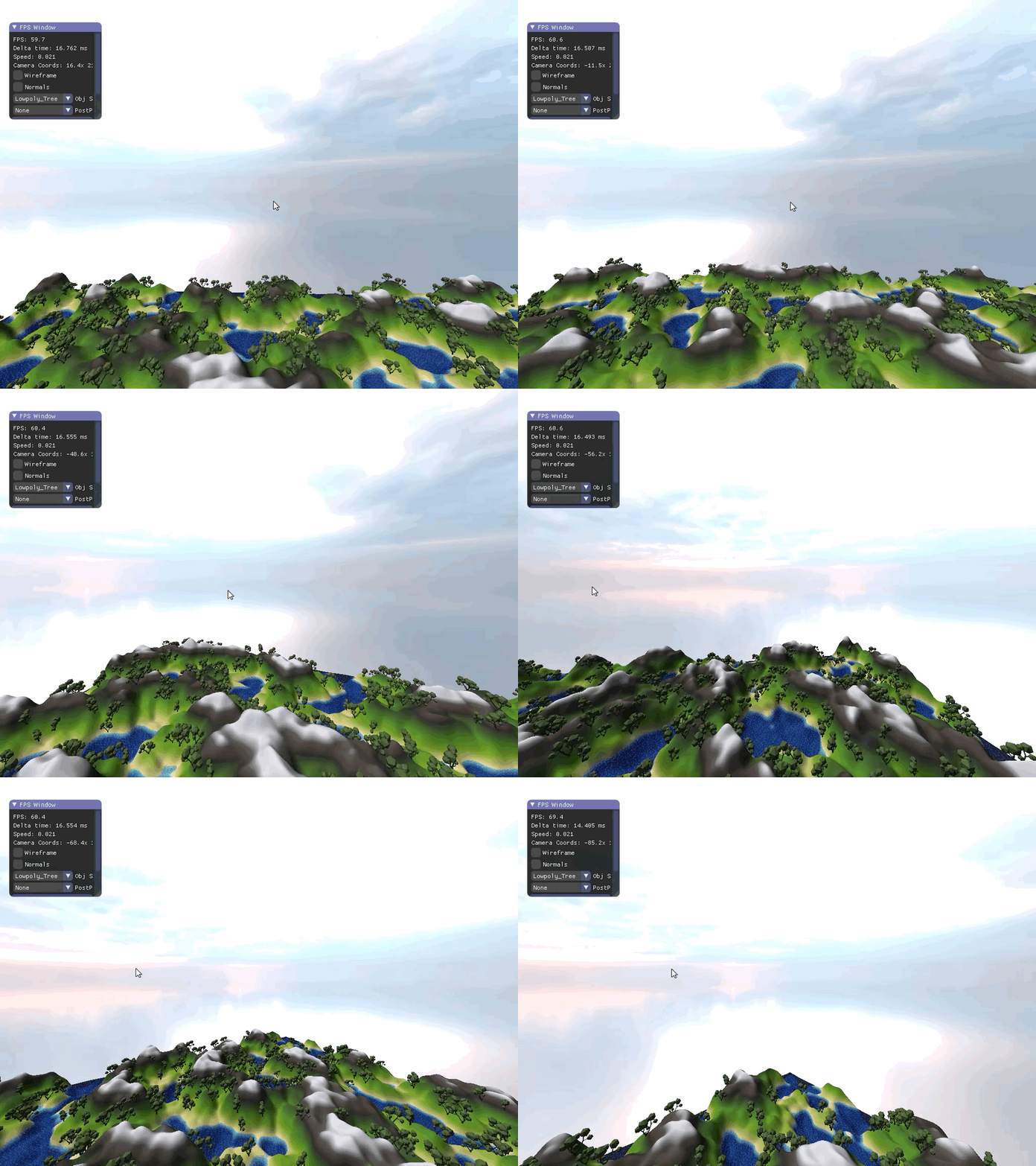
Terrain can also be modified in execution time, there's a list of variables that define the form of the generation. As well as an internal seed system, that is defined at the beginning that makes every execution a different terrain
Prop Manager
The Prop Manager is the piece that owns every object in the scene. Instead of hardcoding what gets drawn, props can be created and destroyed at runtime, and each one keeps its own transform and material.
This is what makes the rest of the demo possible: lights, normals and terrain all work on top of the same set of props.
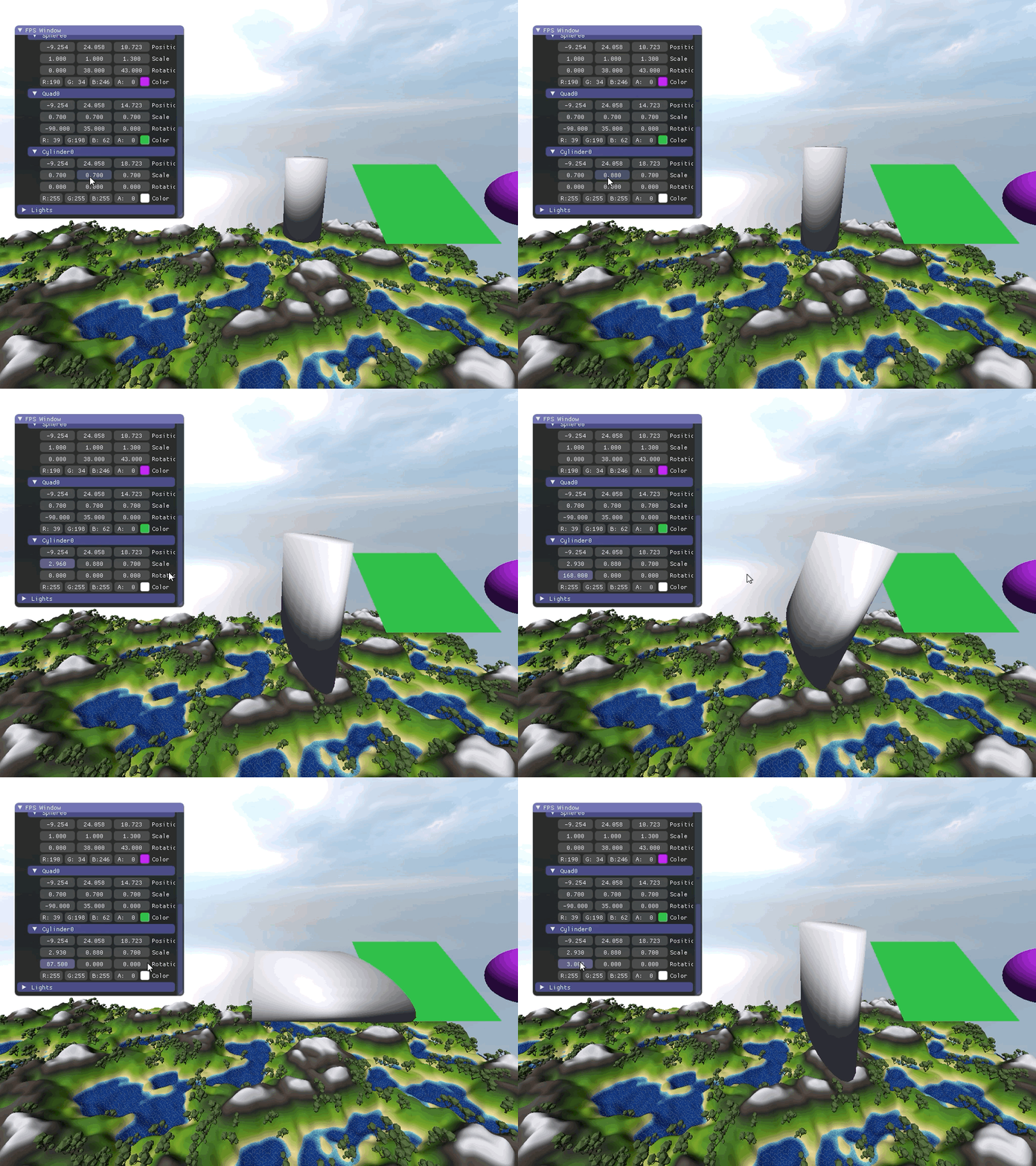
Once a prop exists, you can edit it live:
- Position: move the prop anywhere in the world.
- Scale: resize it uniformly or per axis.
- Color: change its material color and see the result instantly.
Scale
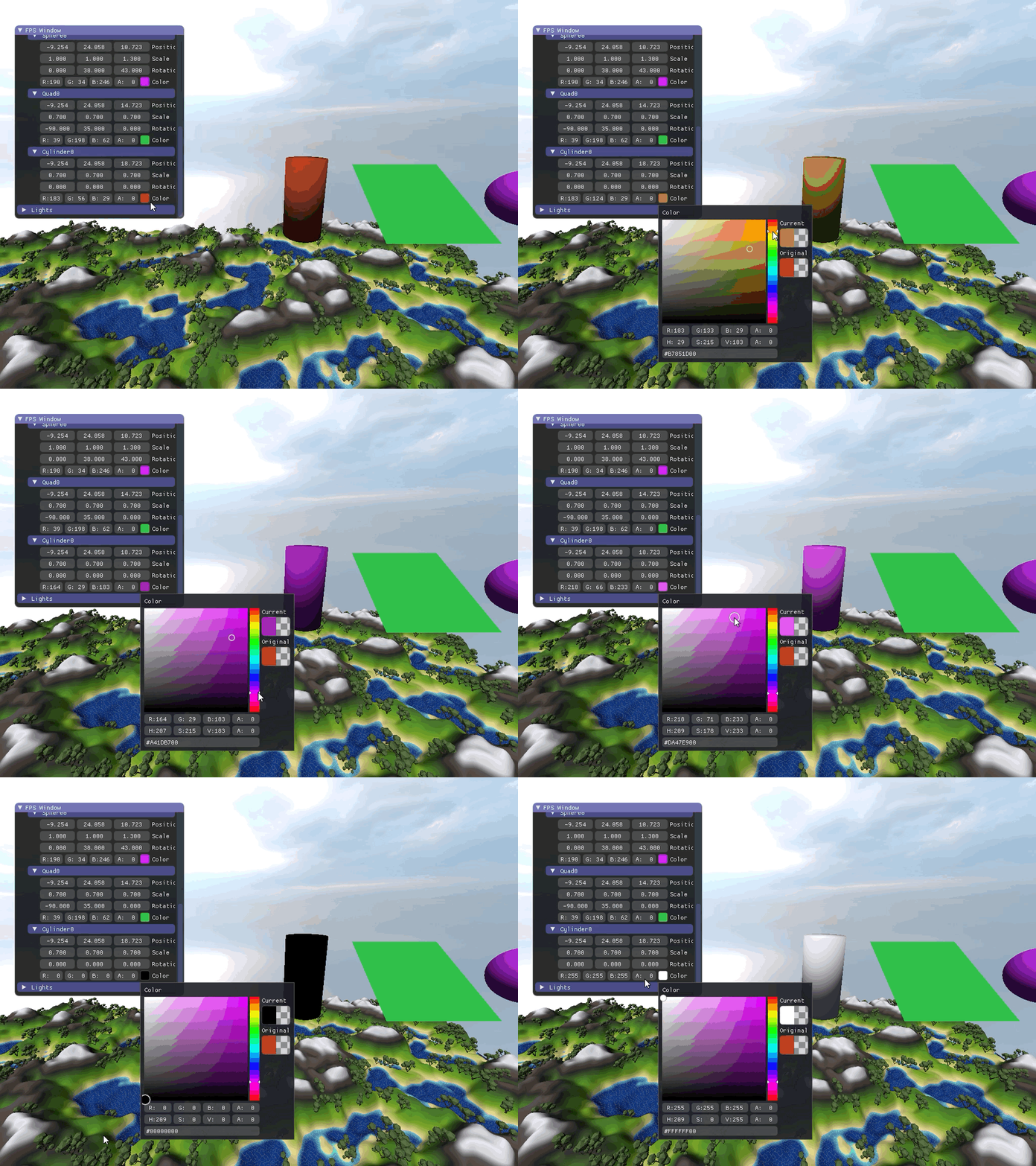
Color
Lights
Lighting is where the scene starts to feel like a 3D world and not just flat shapes. I tested the lights on two different kinds of geometry, because each one shows different things.
On an OBJ model, the light has to deal with imported geometry and its normals. On a sphere, the smooth gradient makes it easy to see if the shading is correct.
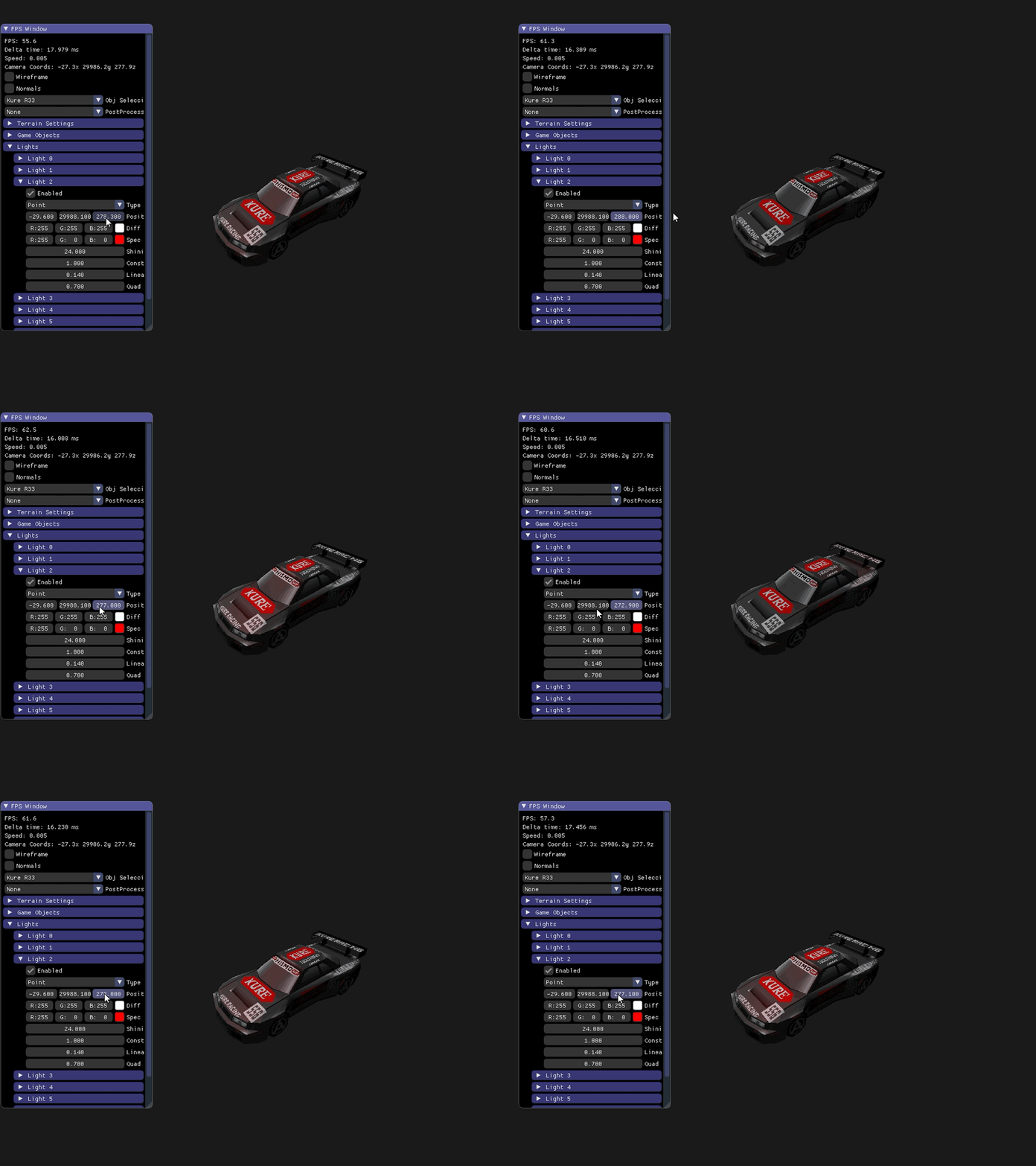
Light moving above an OBJ model.
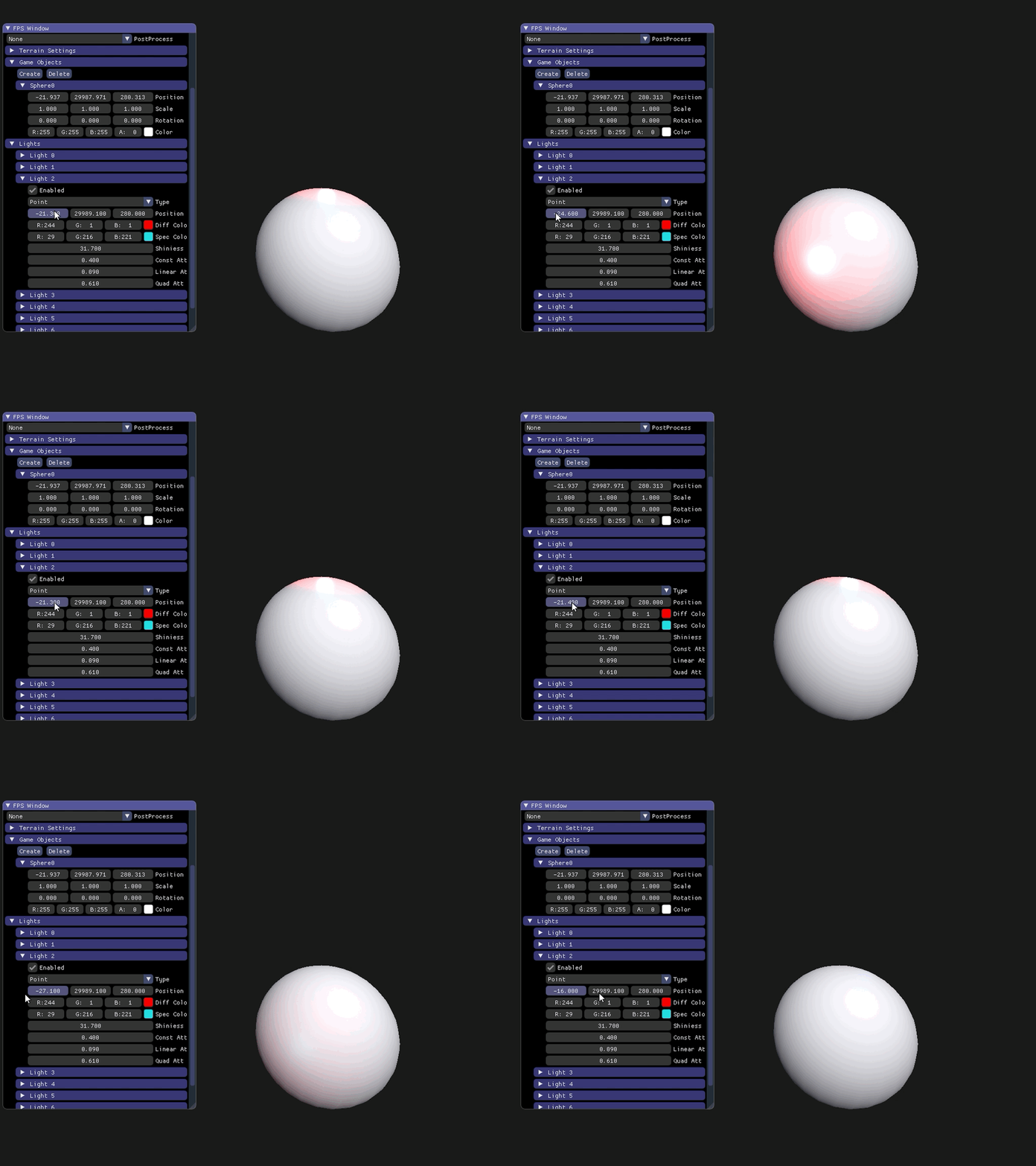
Light moving above a sphere.
Normals and Debug Lines
When lighting looks wrong, the first thing to check is the normals. To make that easy, the demo can draw them as lines, so I can see exactly where each normal points.
This works in every Gameobject in the scene, obj, props, skybox, and terrain
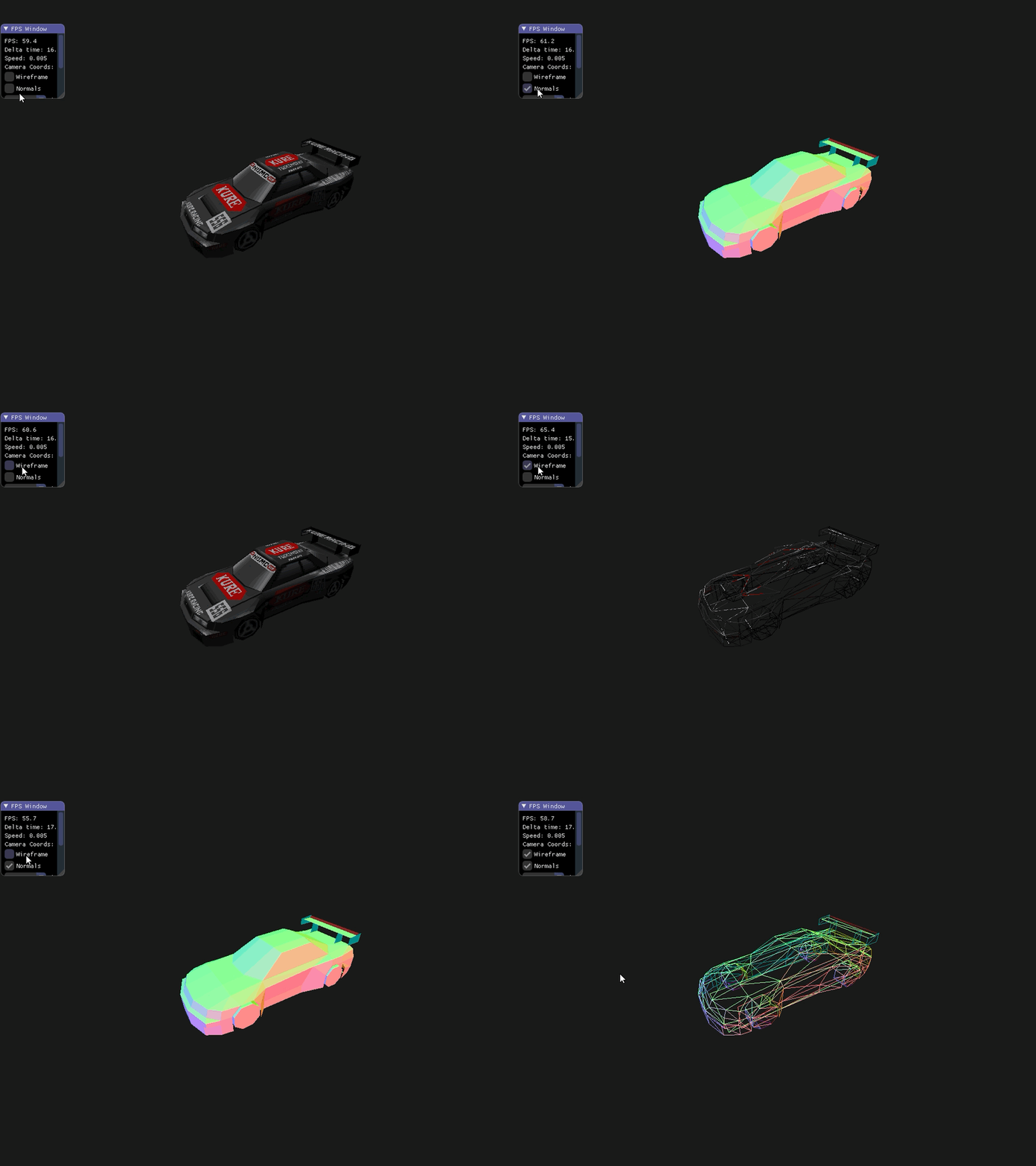
Normals and Wireframe
Particles System
We also worked on a particle generator. Particles are spawned and assigned a lifespan and a direction. We can also control their spawn rate and direction mode.
Distinguishing between directional particles and explosive particles.
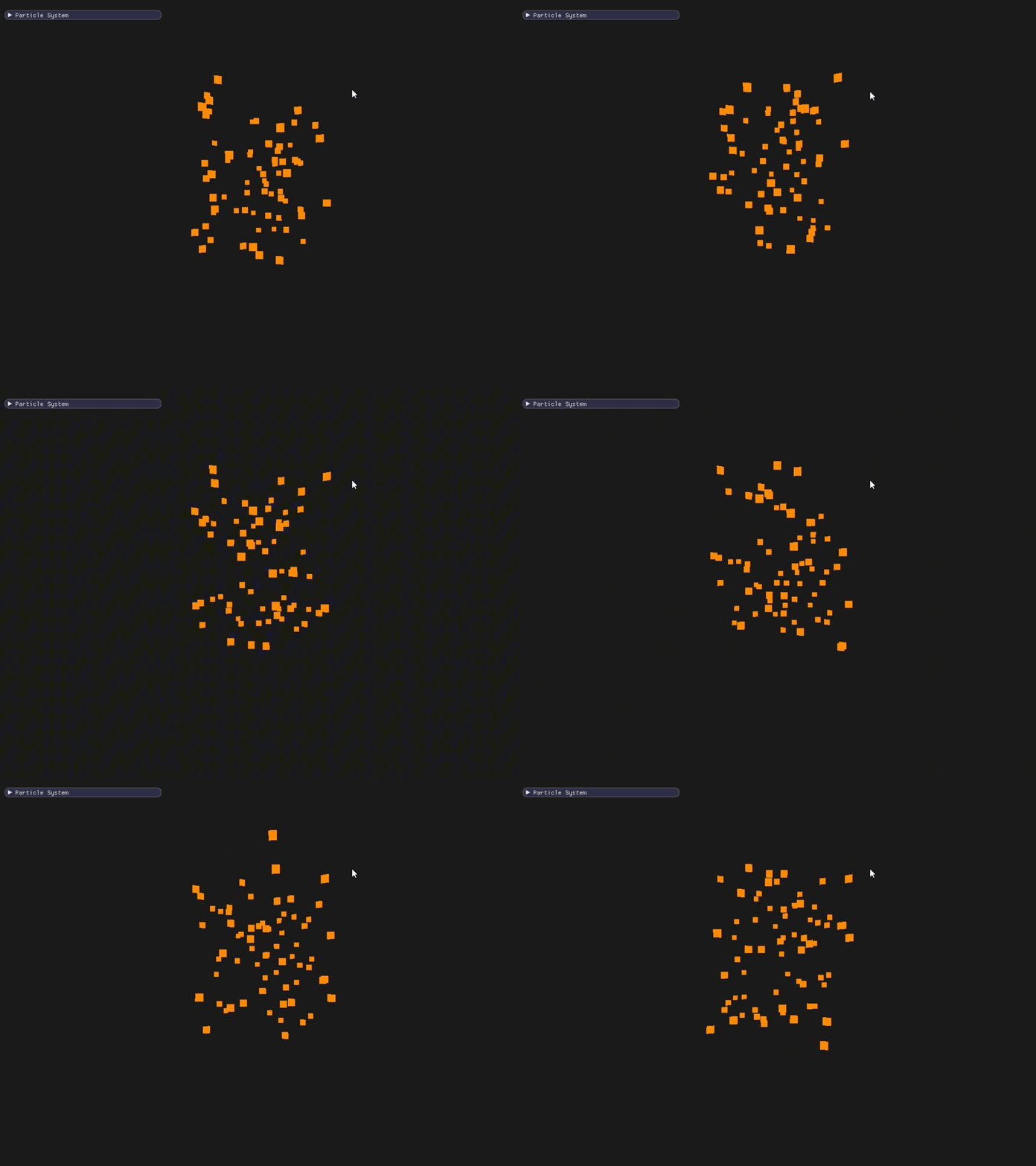
Directional particles spawn randomly across a large area and all move in the same direction, each with a slightly different speed and lifespan.
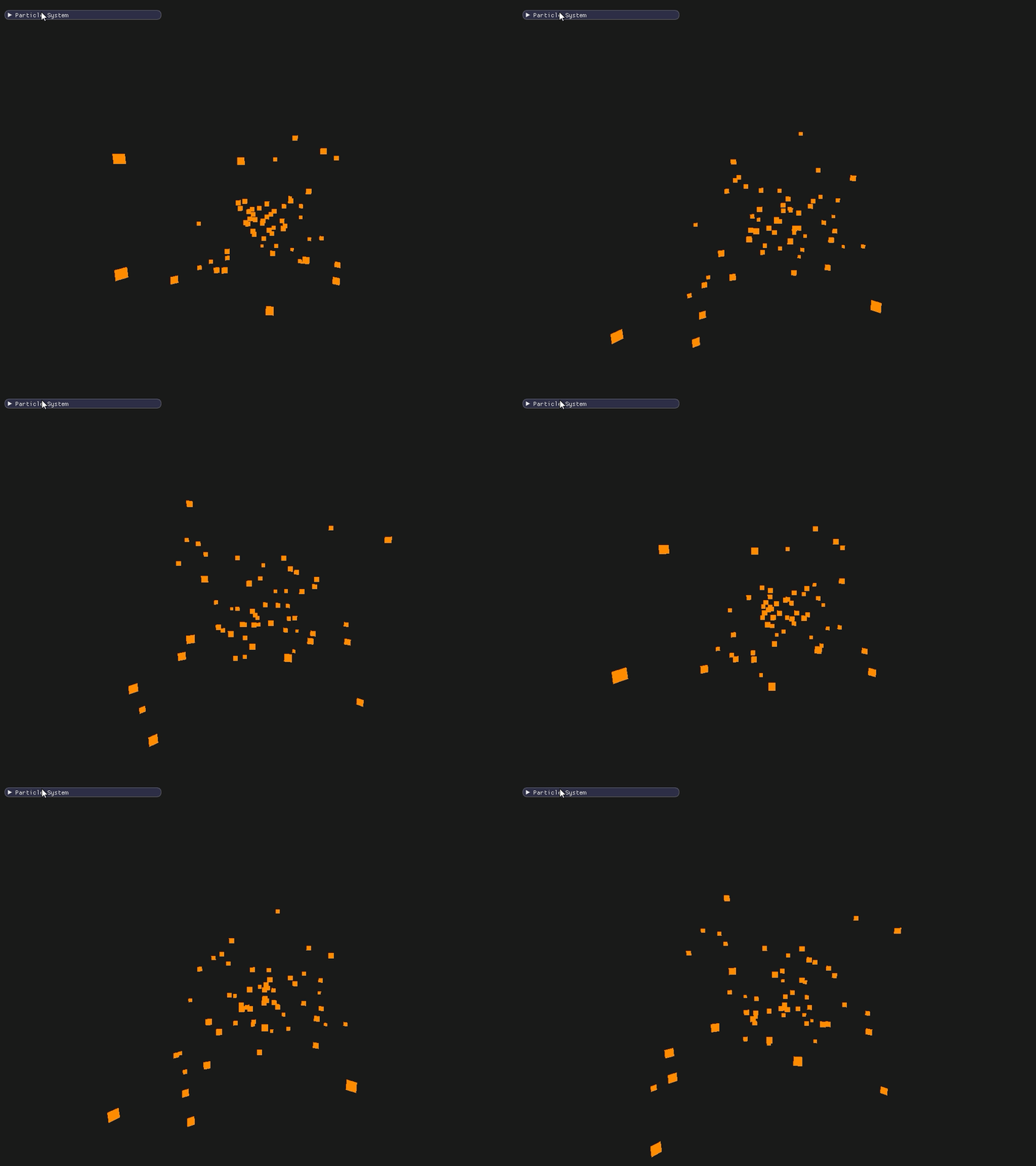
Explosive particles spawn at a specific point and move in all directions, with similar speeds and lifespans. The directions they take resemble those of a real explosion.
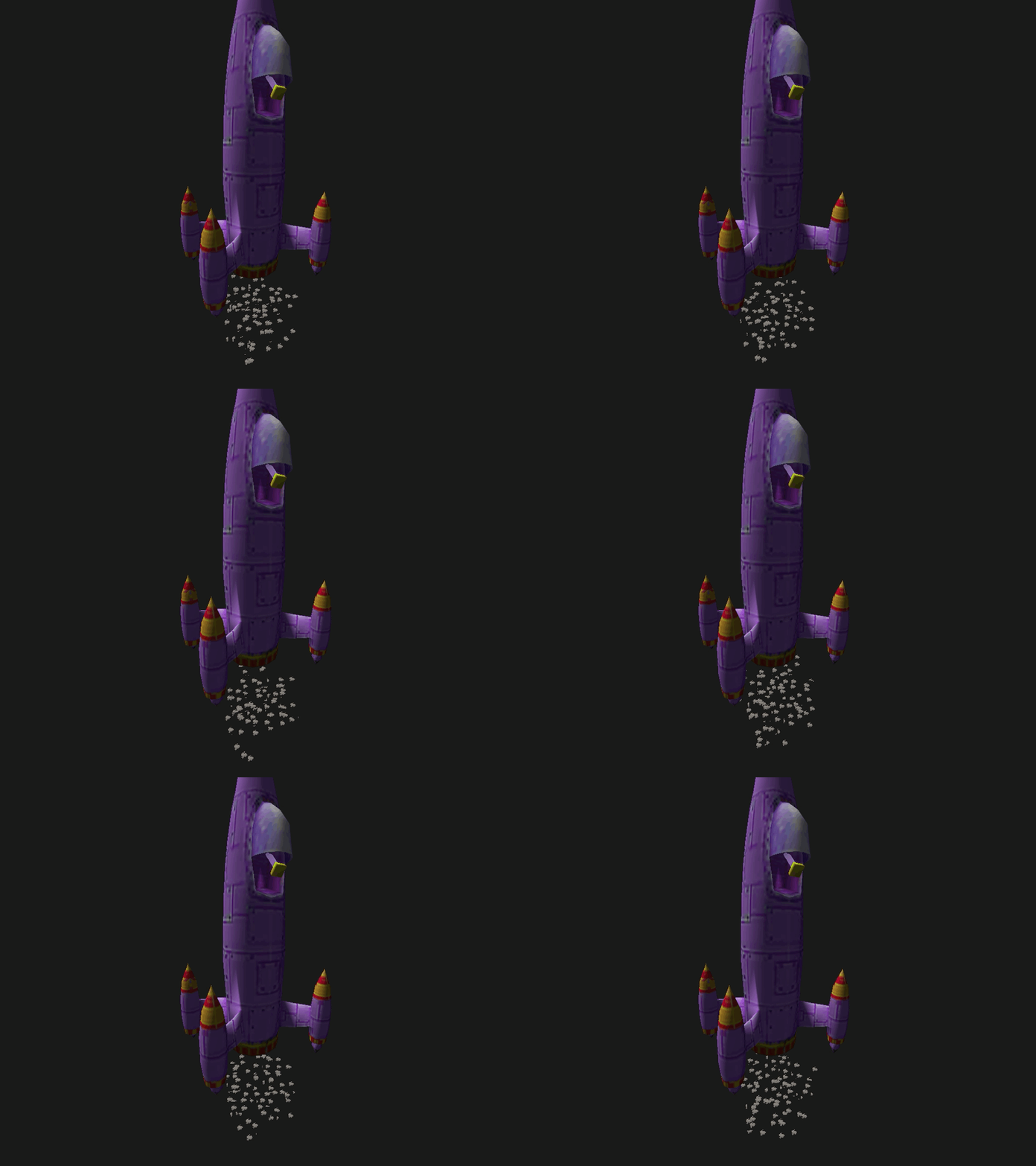
Here's an example of particles created using a 3D model as a prop.
What's next
This demo is a stepping stone. The plan is to keep replacing pieces built on top of the EDK API with my own, until it becomes a fully custom graphics engine.
Thanks for reading!